
Command-Line FLAC Conversion with SoX
November 29, 2025
4 min read
For Bandcamp songs uploaded as 24-bit FLAC, you no longer have the option to download the auto-converted 16-bit version; we'll make that conversion ourselves with Sound eXchange for the sake of conserving storage space.
- Install SoX via homebrew:
brew install soxcdinto your source FLAC album folder:
cd /Downloads/your-flac-album- Convert.
This snippet will create an identically-named output folder—if the source folder ends in 24-bit FLAC, it swaps that for 16-bit FLAC; otherwise it appends 16-bit FLAC. It converts 24-bit FLACs to 16-bit, copies any files that are already 16-bit through untouched, and pulls cover art / logs / cues along for the ride.
# macOS zsh — run inside the folder with your FLACs
base="$(basename "$PWD")"
if [[ "$base" == *"24-bit FLAC"* ]]; then
  outdir="${base/24-bit FLAC/16-bit FLAC}"
else
  outdir="${base} 16-bit FLAC"
fi
mkdir -p "$outdir"

for f in *.[Ff][Ll][Aa][Cc]; do
  sr=$(soxi -r "$f")
  bd=$(soxi -b "$f")

  # Already 16-bit? Just copy it — nothing to do.
  if [[ "$bd" == "16" ]]; then
    echo "Copying (already 16-bit @ $sr Hz): $f"
    cp "$f" "$outdir/$f"
    continue
  fi

  case "$sr" in
    44100|48000)
      echo "Converting: $f ($bd-bit @ $sr Hz → 16-bit)"
      sox -S "$f" -R -G -b 16 "$outdir/$f" dither
      ;;
    88200|176400)
      echo "Converting + resampling: $f ($bd-bit @ $sr Hz → 16-bit @ 44.1k)"
      sox -S "$f" -R -G -b 16 "$outdir/$f" rate -v -L 44100 dither
      ;;
    96000|192000)
      echo "Converting + resampling: $f ($bd-bit @ $sr Hz → 16-bit @ 48k)"
      sox -S "$f" -R -G -b 16 "$outdir/$f" rate -v -L 48000 dither
      ;;
    *)
      echo "⚠️  Unknown sample rate ($sr Hz), copying as-is: $f"
      cp "$f" "$outdir/$f"
      ;;
  esac
done

# Copy cover art and any other tracker-relevant files
for ext in png PNG jpg JPG jpeg JPEG gif GIF txt cue log nfo m3u; do
  for f in *.$ext(N); do
    cp "$f" "$outdir/$f" && echo "Copied: $f"
  done
done

echo ""
echo "✅ Done. Output folder:"
ls "$outdir" | wc -l | xargs echo "   File count:"
echo "   Path: $outdir"
Here's the full breakdown of this command:
Detects the current folder name. If it ends in "24-bit FLAC", it swaps that for "16-bit FLAC"; otherwise it falls back to appending "16-bit FLAC". Then creates that folder.
- Iterates over all FLAC files in the folder, case-insensitively.
- Reads each file's sample rate and bit depth using soxi.
If the file is already 16-bit, copies it through untouched—no re-encoding, no dither, byte-for-byte identical to the source. (Bandcamp 24-bit downloads sometimes contain a few 16-bit files mixed in.)
If the sample rate is 44.1 kHz or 48 kHz: converts to 16‑bit with dithering, keeping the original sample rate.
If the sample rate is 88.2 kHz or 176.4 kHz: downsamples to 44.1 kHz with a very‑high‑quality, linear‑phase resampler, then converts to 16‑bit with dithering.
If the sample rate is 96 kHz or 192 kHz: downsamples to 48 kHz with a very‑high‑quality, linear‑phase resampler, then converts to 16‑bit with dithering.
- Uses -G to guard against clipping; -S to show warnings; -R for consistent defaults.
For any unrecognized sample rate, copies the file through as-is rather than skipping it (so nothing goes missing from the output folder).
Copies any cover art, logs, cues, and other common companion files into the output folder. The
(N)on the glob is zsh's "null glob" qualifier—if no files match a given extension, it expands to nothing instead of erroring out.- Prints a final file count so you can sanity-check that nothing got dropped.
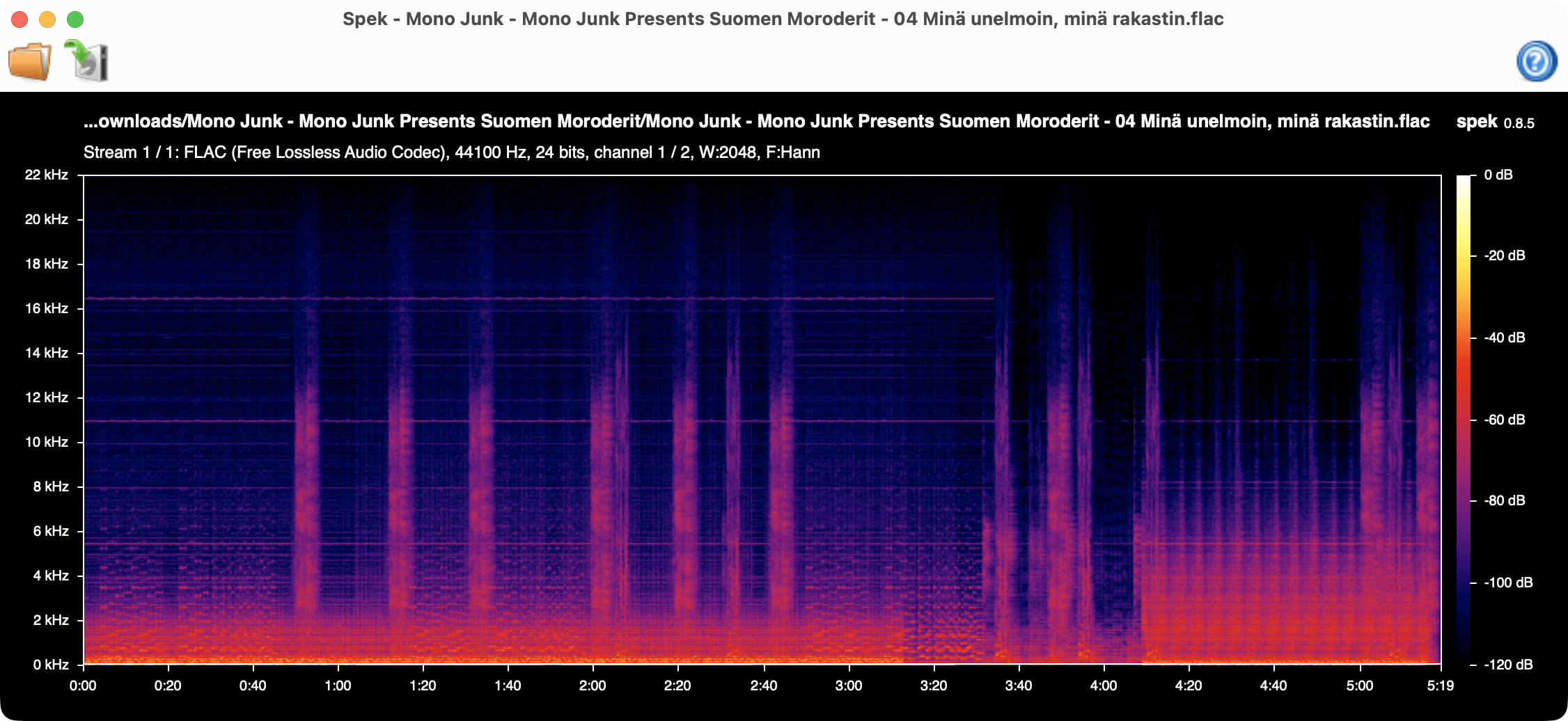
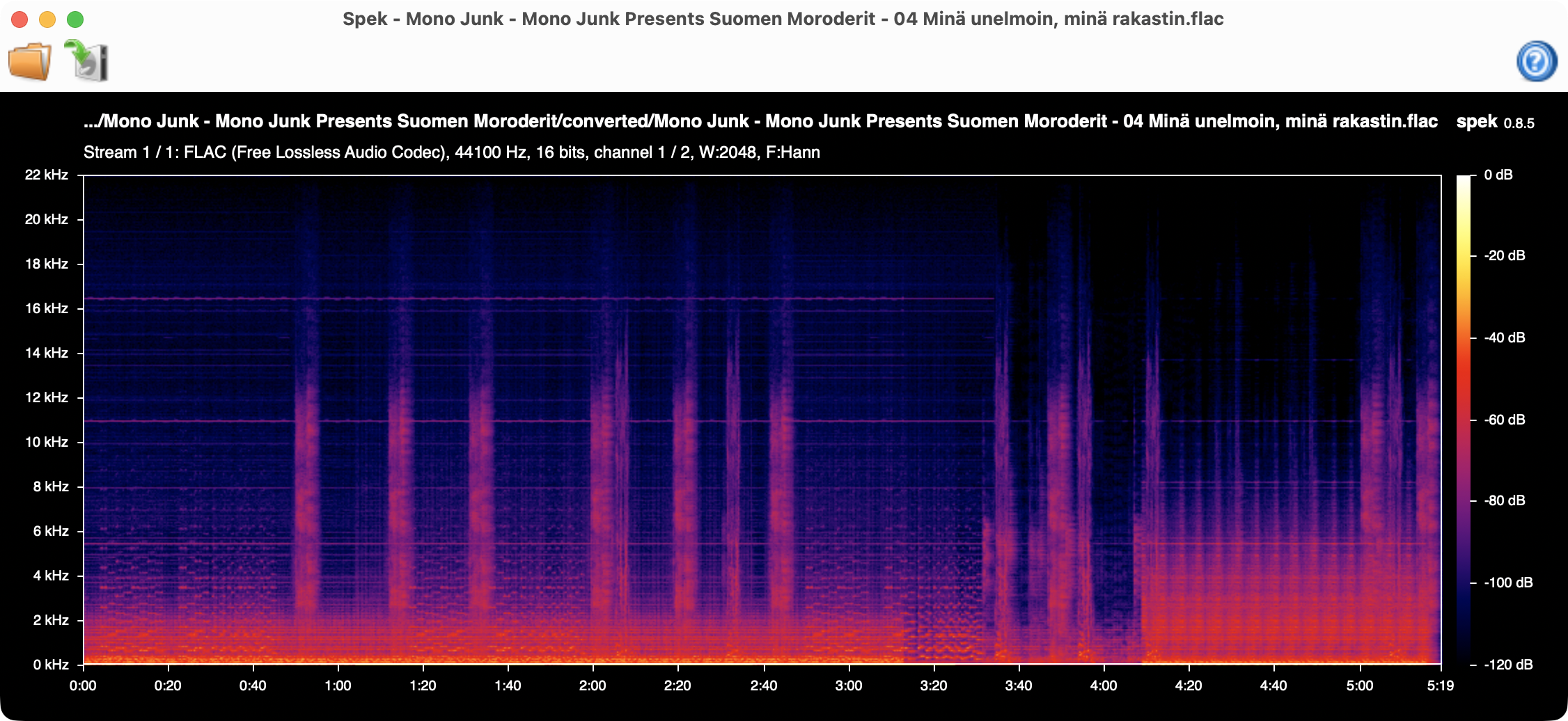
I like to use Spek to view the audio files and compare the difference in quality.
Before:
After:
This is strictly for my personal reference—I won't be going into any further details on SoX. May any wanderers find this useful, though!
Back
Head back to writing and explore more posts.